> ## Documentation Index
> Fetch the complete documentation index at: https://docs.bags.fm/llms.txt
> Use this file to discover all available pages before exploring further.
# How to display social profile on token page?
> Learn how to link your wallet to Bags to display your identity when creating tokens via API
## How to display social profile on token page?
When launching your token via API, you can choose any wallet address.\
However, the **creator identity shown on the token page** depends on the wallet you use:
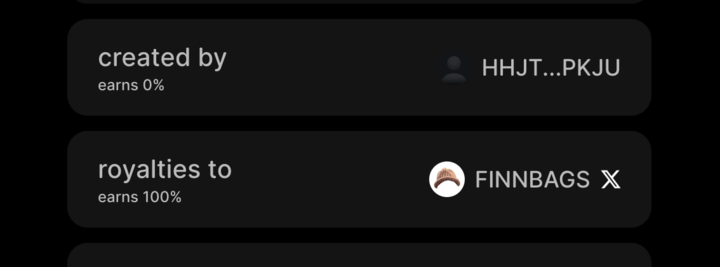
If you use **any external wallet address**, your token page will display only the wallet address.
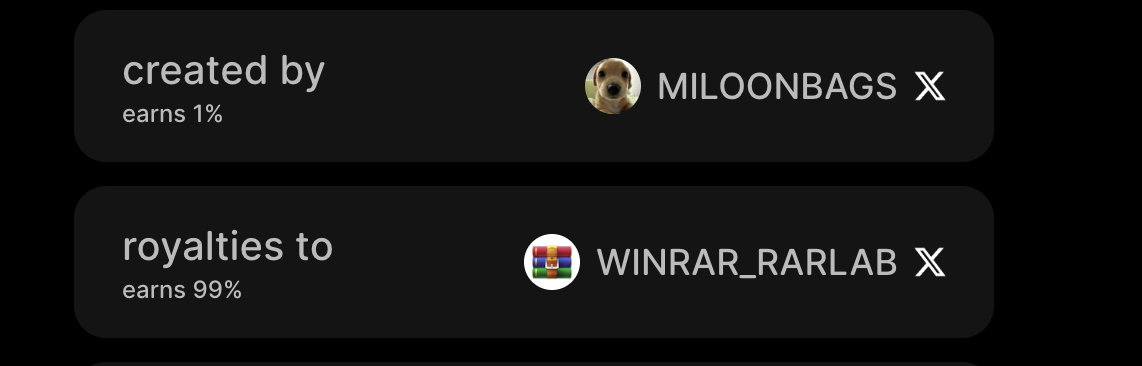
 Use your **Bags wallet** (export the private key from [Bags.fm](https://bags.fm)) when creating tokens via API. Your token page will display your **social profiles** (X, GitHub, Kick, TikTok) instead of just a wallet address.
 ## How to Export Your Bags Wallet to Phantom
Follow these simple steps to use your Bags wallet externally (e.g., with the API or Phantom):
1. Visit [bags.fm](https://bags.fm)
2. Log in with your credentials
3. Tap your **username / profile picture** in the top-right corner
4. Select **My Wallets** → **Export Private Key** for the wallet you want to export\
*(Do this only in a safe, private environment)*
5. Tap **Copy Key** to copy the private key to your clipboard
6. You can now import your private key into any wallet app (such as Phantom), or use it in your API scripts to launch a token.
## How to Export Your Bags Wallet to Phantom
Follow these simple steps to use your Bags wallet externally (e.g., with the API or Phantom):
1. Visit [bags.fm](https://bags.fm)
2. Log in with your credentials
3. Tap your **username / profile picture** in the top-right corner
4. Select **My Wallets** → **Export Private Key** for the wallet you want to export\
*(Do this only in a safe, private environment)*
5. Tap **Copy Key** to copy the private key to your clipboard
6. You can now import your private key into any wallet app (such as Phantom), or use it in your API scripts to launch a token.
- To launch a token with your exported wallet, follow our [Token Launch Guide](/how-to-guides/launch-token).
Keep your private key safe — store it offline (e.g., written on paper or in a password manager).\
Never share it publicly or in untrusted apps.
If you encounter any issues, please contact the Bags team via support or your Bags dashboard.